Weekly Tech Brief • September 28, 2026
Windows File History Bug, Fake GitHub Software & Seattle PC Repair Security
DJ The PC Dude • Seattle, Washington
This week's repair-shop signal is simple: when a backup, update, storage device, or utility suddenly looks broken, prove the cause before replacing hardware or rebuilding the system.
Windows File History can fail after September updates
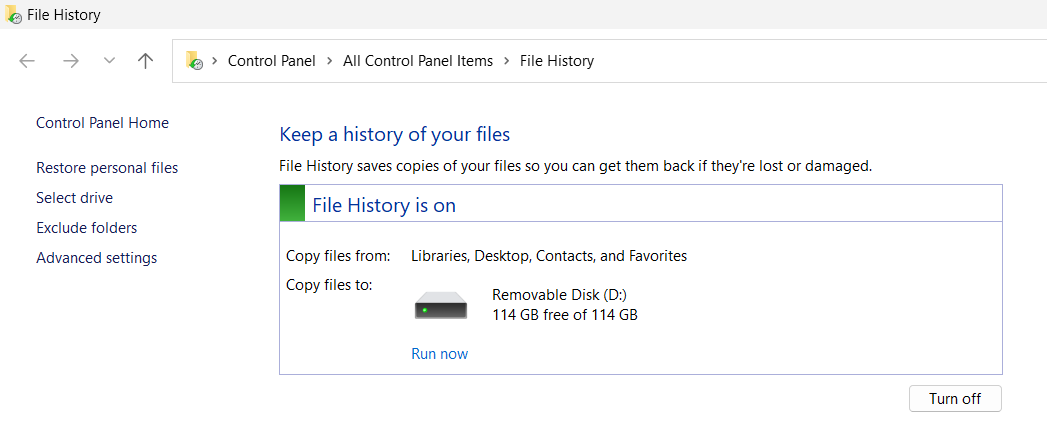
Microsoft confirmed a Windows regression that can make File History report that the backup drive needs to be reconnected, stop creating new backups, or fail to update the Last Backup time even when the external drive itself is healthy.
DJ action: before formatting a backup drive or rebuilding File History, check winver, Windows Update history, File History events, drive health, and whether the latest corrective update is installed.
Windows 11 24H2 support is almost over
Windows 11 24H2 Home and Pro are approaching the October support cutoff. Every Windows intake should now include the Windows version, BitLocker recovery information, Secure Boot and TPM status, free storage, backup status, and upgrade eligibility.
Linux updates still require post-update testing
Ubuntu continues shipping kernel and application security fixes. A successful package transaction is not the end of a repair. Reboot, verify the running kernel, then test GPU drivers, Wi-Fi, Bluetooth, storage, Flatpak apps, screen sharing, and suspend/resume.
Fake GitHub repositories are a technician-level threat
Malware campaigns increasingly use SEO-optimized fake repositories and convincing software names. GitHub itself is not proof that a download is legitimate.
DJ repair-tool rule: verify the official developer, official repository, release version, digital signature or hash, and keep a known-good local copy of important utilities.
Docker servers: never expose an unauthenticated daemon
For homelab or small-business systems, check whether Docker is listening on TCP 2375. An exposed unauthenticated Docker API can hand attackers control of privileged containers and potentially the host.
Counterfeit SSDs deserve a real diagnostic check
A drive reporting a familiar brand name can still contain a different controller or suspicious firmware. Storage diagnostics should include model, serial, firmware, controller/vendor identity, SMART data, performance testing, and the manufacturer's own utility when available.
Local SEO: review what Google collected about the business
Google Business Profile increasingly acts as a core business-data source. Review collected or inferred business information and keep the website, services, hours, service area, phone number, photos, and business description consistent.
Bottom line
A backup drive that suddenly stops working may be a Windows regression. A branded SSD may be counterfeit. A GitHub download may be malicious. The strongest service an independent technician can sell is evidence-based diagnosis before replacement.